Filter
Filter applies property rules to small-molecule records in the project. Use it to exclude molecules that fail your criteria, recover molecules previously excluded by this filter, or save matching molecules as a set. Open the tool from the left rail; the central Molecules table follows the source configured in the panel.
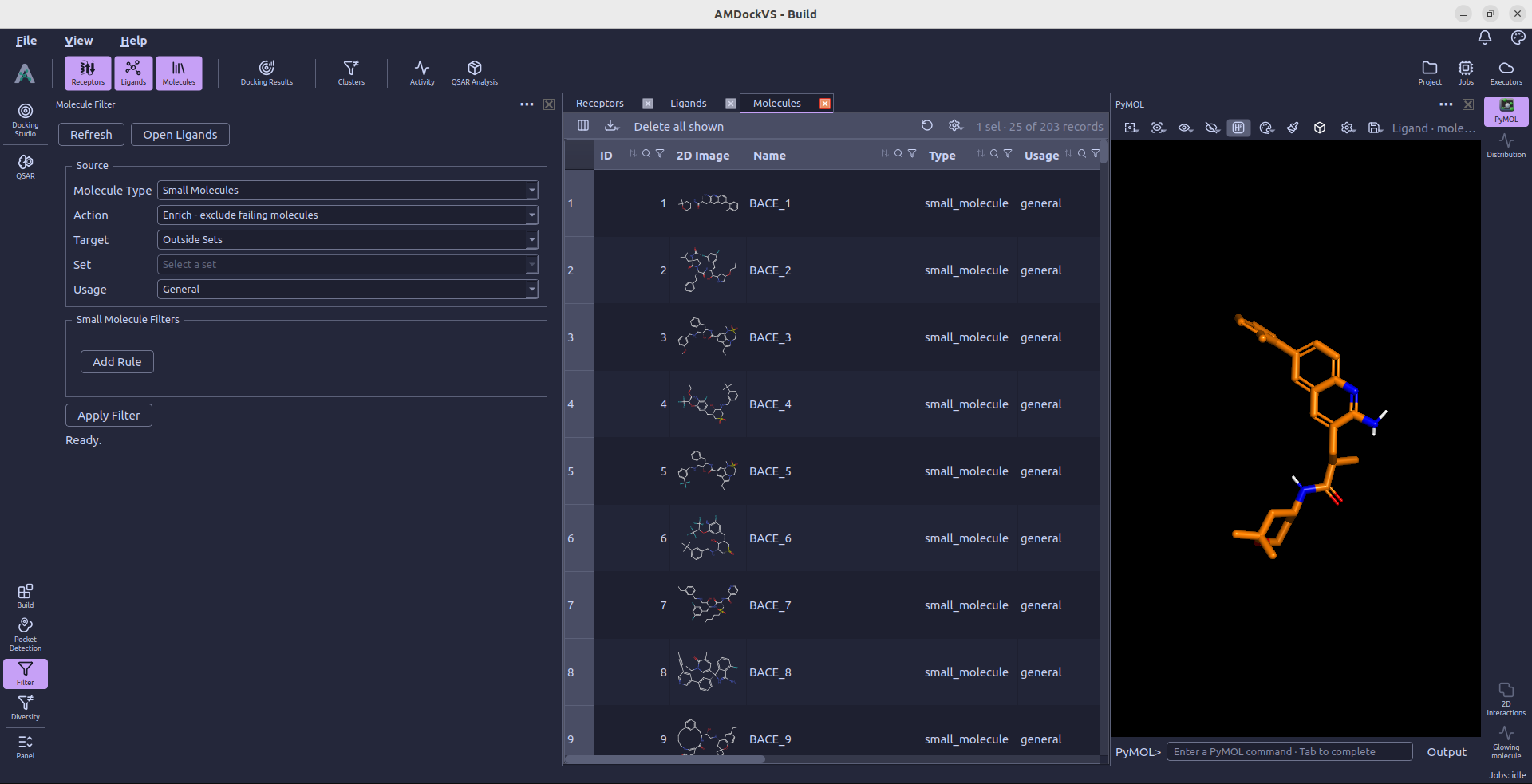
1. Choose the source
Under Source, select Small Molecules as the Molecule Type. The other listed types—proteins, peptides, nucleotides, and polymers—do not yet have filter criteria in this panel.
Choose a Target:
- Outside Sets — Molecules that do not belong to a set.
- Inside Sets — Molecules belonging to sets.
- All Molecules — Include molecules regardless of set membership.
- Specific Set — Choose one saved set from the Set list.
Usage further restricts the source to General, Reference, Derived, General + Reference, or All. The panel's Target and Usage controls define the filter source; review them before applying an action.
2. Choose an action
- Enrich - exclude failing molecules evaluates active molecules and marks those that fail as excluded. The records remain in the project.
- Recover - re-include filter-excluded that now pass evaluates excluded molecules and restores those that pass the new criteria. It only recovers exclusions made by this Filter tool; exclusions made manually or by other tools remain in place.
- Tag matches to a set (no state change) saves matching active molecules into the named set without changing their exclusion state. Enter the name under Tag into set.
3. Add criteria
Select Add Rule, choose a property and comparison operator, and enter its value when required. Add more rows to combine criteria; a molecule must pass every rule. Use Remove beside a row to discard it.
Available numeric properties include molecular weight, logP, hydrogen-bond
donors and acceptors, TPSA, rotatable bonds, fragment count, total and aromatic
ring counts, heteroatom and heavy-atom counts, formal charge, fraction Csp3,
and total atom count. Numeric rules support <, <=, >, >=, and =.
PAINS Matches and Ro5 Violations use is empty or has any. For example, PAINS Matches → is empty keeps molecules with no detected PAINS matches. Ro5 Violations → is empty requires no recorded Rule of 5 violations.
For a molecular-weight interval, add two rules, such as MW (Da) >= 200 and MW (Da) <= 500. These are example bounds; choose limits appropriate to your compound collection.
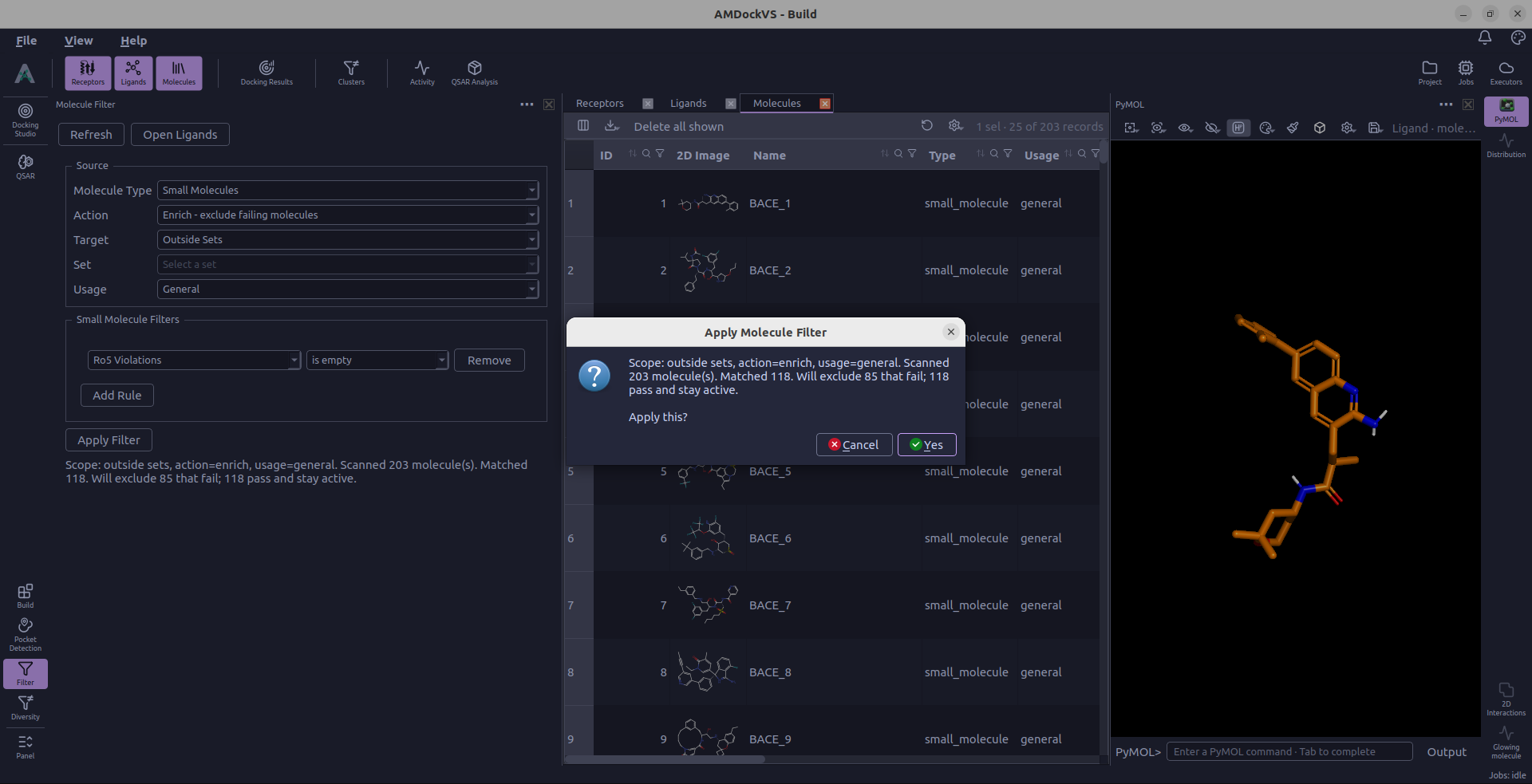
4. Review counts and apply
Select Apply Filter, or Tag to Set for the tagging action. AMDockVS evaluates the source and reports the counts before asking whether to apply the changes. Canceling that confirmation leaves the counts visible without changing the molecules.
Molecules missing properties required by the rules are reported as skipped. If a PAINS rule requires results that have not been calculated, the tool can offer to calculate PAINS matches before you try the filter again.
After applying, review the summary and open the Ligands catalog to inspect the resulting scope or saved set. You can use a saved set as input to Diversity or select its members for Docking Studio.