AMDockVS
AMDockVS is the next-generation version of Assisted Molecular Docking (AMDock), published in 2020. The new version is a desktop application and Python API that includes molecular import, preparation, QSAR, binding-site analysis, docking, and result inspection.
Cite AMDock
The original AMDock paper was published in Biology Direct and is available here. If you use AMDock, please cite it as follows:
Valdés-Tresanco, M.S., Valdés-Tresanco, M.E., Valiente, P.A. et al. AMDock: a versatile graphical tool for assisting molecular docking with Autodock Vina and Autodock4. Biology Direct 15, 12 (2020). https://doi.org/10.1186/s13062-020-00267-2
Install
AMDockVS installs into a conda environment (micromamba or conda). The compiled
scientific stack comes from conda-forge, with builds for Linux and macOS on both
Intel and ARM; AMDockVS, PySide6, PyMOL (the pymol-open-source 3.2 wheels) and
the MolSuite packages come from PyPI:
curl -LO https://raw.githubusercontent.com/AMDockVS/AMDockVS/main/environment.yml
micromamba create -n amdockvs -f environment.yml   # or: conda env create -f environment.yml
micromamba activate amdockvs
Do not conda install into that environment afterwards; edit environment.yml
and create it again instead.
Start the desktop application with:
amdockvs
AMDockVS in a nutshell
AMDockVS brings molecular preparation, virtual screening, and analysis into a single project workspace. It builds on the original AMDock's goal of making docking accessible, adding tools to organize compound libraries, explore chemical diversity, and work with experimental activity data. Each project keeps the molecules, settings, calculations, and results of a study together.
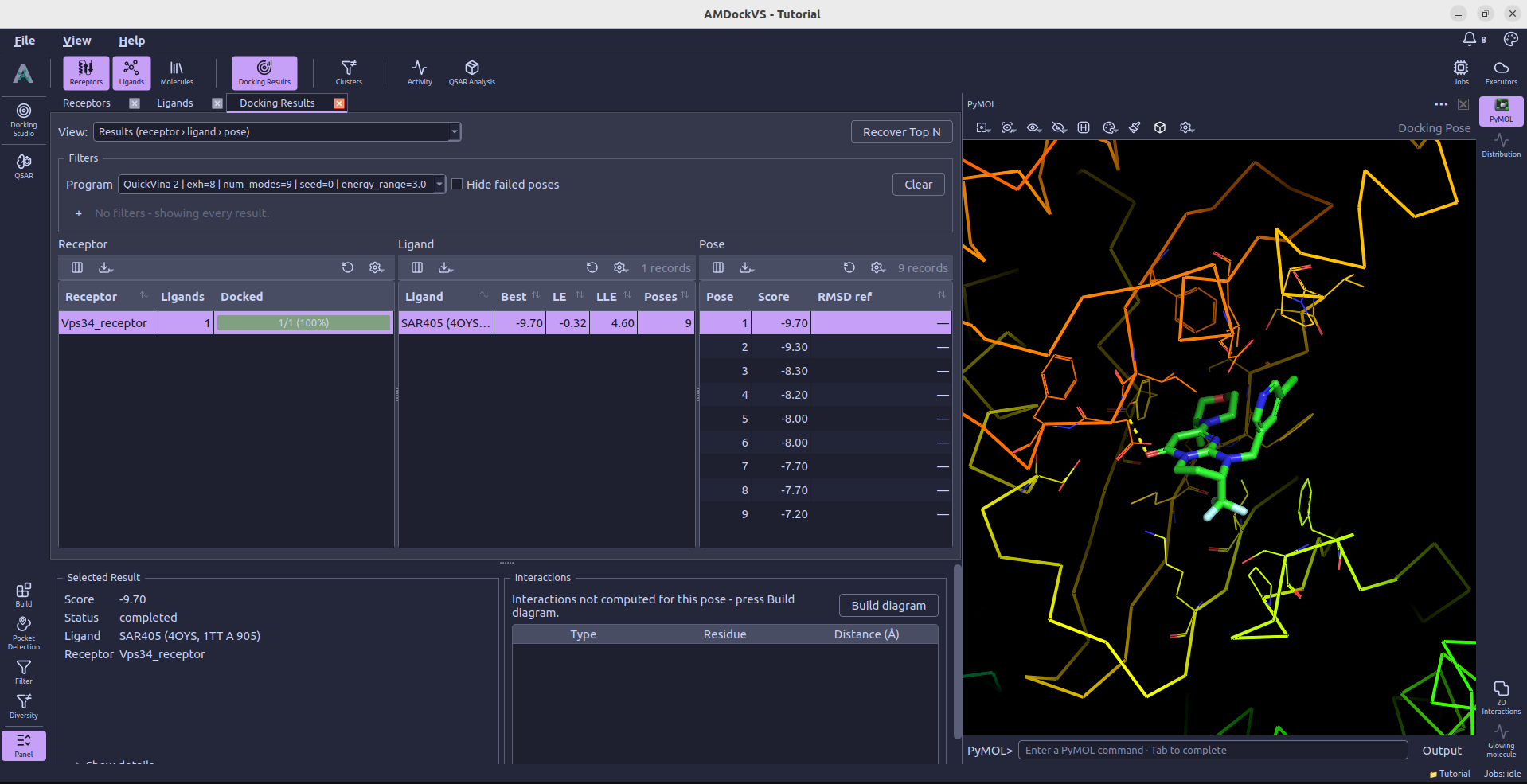
Docking Studio guides you through program selection, ligand and receptor preparation, search-space setup, and launching a run. Supported docking programs include AutoDock Vina, QuickVina 2, gnina, AutoDock-GPU, and Uni-Dock. You can define a search box manually or use Pocket Detection to identify candidate binding sites with P2Rank.
The surrounding tools help you shape the study before docking. Build prepares molecular structures, Filter applies property criteria, and Diversity groups similar compounds so you can choose representatives. When measured activities are available, QSAR provides a workflow for training and evaluating regression and classification models.
Results connect numerical scores with structural inspection: selecting a docking pose displays its complex in PyMOL, while 2D Interactions maps its protein–ligand contacts. Calculations run in the background and can be followed in the Jobs monitor. The Python API also exposes the project's workflows for scripting, automation, and integration with other analysis tools.
License
AMDockVS is released under the MIT License.